search
167 results for “Waves H Delay”
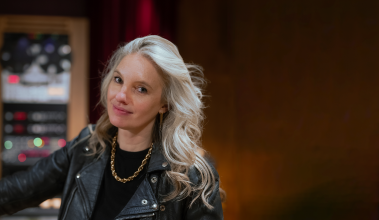
Catherine Marks - Wolf Alice - Moaning Lisa Smile
Learn from the multiple award-winning producer and engineer Catherine Marks! For her MWTM series premiere, Catherine describes her career journey, explains her workflow, and focusses on the multi-track of 2016 Grammy-nominated single ‘Moaning Lisa Smile’ by the rock band Wolf Alice. Filmed at Rue Boyer studios in Paris, the 1.5 hour-long instalment dives into the creative process behind this record. Additionally, it explores the general workflow and philosophy of Marks, who references a number of other projects by artists including PJ Harvey, Kelly Rowland, Foals, David Viner, and The Amazons. She imparts many lessons learned from studio sessions and knowledge gained from fellow professionals Alan Moulder, Flood, and others. Taking you through the Pro Tools session of ‘Moaning Lisa Smile’, Catherine shares how she combined an array of guitar sounds, layered vocals, blended samples, and more. Aside from the mix overview, she refers to the equipment and techniques employed at the tracking sessions. Marks demonstrates parallel processing with Scheps Omni Channel and Devil-Loc, defines parameters often set on mix buss gear from Manley, Inward Connections, SSL, and Dramastic Audio, and reveals more ways in which she uses her favourite tools!
-
From 00 min
I use the H-Delay less, but I kind of like the lo-fi aspect
-
From 1h16
Also, what's interesting is the Waves, G-Channel plug-ins
-
From 1h18
In the chorus, it looks like I'm sending it to a delay.
-
From 1h18
That's interesting. It's a dotted eighth delay.
-
From 1h18
I was really into H-Delay back then.
-
From 1h19
I use the H-Delay less, but I kind of like the lo-fi aspect
-
From 1h19
So I'm using another dotted eighth note delay using H-Delay,
-
From 1h37
I know that delay compensation makes up for that, but I think that
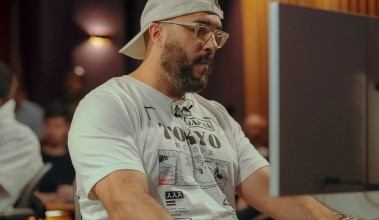
Jaycen Joshua - Tessa B - Si Seulement
Watch the chart-topping engineer mix an emerging French artist from scratch. Discover his latest techniques and learn how to craft hard-hitting drums, atmospheric synths, and rich, expressive vocals.
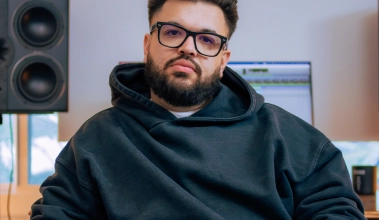
Teezio - Chris Brown - Angel Numbers
The Grammy-winning engineer returns to explore the softer side of Chris Brown’s critically-acclaimed album, ‘11:11’. Having worked closely with Chris for several years, Teezio offers unparalleled insight into the artist’s musical universe. Explore the hybrid mixing process behind this chart-topping R&B ballad and learn how to craft exceptional-sounding vocals and instrumentals.
Anthony Kilhoffer - JAY-Z, Kanye West - Ni**as In Paris
Recorded and mixed in various hotel rooms between New York and Paris, this multi-platinum record has become one of the defining records of the 2010s. Watch Anthony Kilhoffer revisit the original production session in Logic Pro and learn how he mixes hit records on the go from his mobile studio.
-
From 19 min
We got a little slap delay, nothing fancy, just your basic slap
-
From 20 min
Very short decay, super short, and then we have the old RVerb
-
From 20 min
because it gives it just a little space, but there's no decay in it.
-
From 22 min
Nothing fancy, a little Waves deEsser.
-
From 25 min
See, there's hardly any decay there.
-
From 25 min
Aux 2 is a very simple slap delay, very quiet slap delay.
-
From 26 min
I just use the easy Logic delay, quarter on one side,
-
From 26 min
All we're hearing now is the delay.
-
From 33 min
I use the same verb and delay for both raps so that they sound like
-
From 33 min
Then we have a little slap delay.
-
From 34 min
Oh, the third effect was the delay.
-
From 34 min
which is just the basic default, basic slap from H-Delay.
-
From 43 min
And then we made that delay and just committed it because we liked it.
Jeff Bhasker, Anthony Kilhoffer - Kanye West - Runaway, All of the Lights
Fifteen years after its release, two key contributors reveal the production and mixing secrets behind this seminal album. Watch Jeff and Anthony resurrect the multitracks for ‘All Of The Lights’ and ‘Runaway’, offering a one-in-a-lifetime look at the record that defined modern hip-hop.
-
From 1h18
a wave of creation going as Kanye has throughout his career.
-
From 11 min
and we added a little H-Delay and AutoPan on the Rick James sample.
-
From 13 min
sound wave from the cello.
-
From 18 min
for his vocal that really let him... it just wasn't AutoTune and delay.
-
From 19 min
There's no additional delays or reverbs on it.
-
From 24 min
We have high pre-delay of 106.
-
From 24 min
That's a lot for a pre-delay.
-
From 24 min
Very short decay though.
-
From 24 min
We have the Mod Delay III, yet again another Pro Tools classic
-
From 24 min
with a very little short delay.
-
From 25 min
Okay, so no verb, no delay.
-
From 26 min
You really can't even hear the reverbs and the delays so much,
-
From 28 min
You have your little Mod Delay III, Pro Tools special,
-
From 28 min
And then we have a little EchoBoy delay.
-
From 31 min
compression on the H-Compressor, more than I would usually
-
From 32 min
issue Pro Tools plug-ins and Waves plug-ins, it travels way better
-
From 34 min
It sounded better than the L2 that Waves had.
Tony Maserati - K.flay - Dreamers
Join mix engineer Tony Maserati at Studios La Fabrique to explore multi-track sessions of K.Flay and Maggie Koerner. Throughout this nine-part workshop, Maserati breaks down his various approaches towards enhancing each individual part in the producer's sessions. Learn more about processing 808 bass, kick, snare, percussion and vocals in the edgy, trap-inspired song 'Dreamers' from K.Flay’s 2018 Grammy-nominated Best Engineered Album. Broaden your palette on creative ways to treat electric guitar, acoustic guitar and piano in the soulful, blues-infused 'Shadows' by Maggie Koerner. Step-by-step, Tony Maserati demonstrates his ITB techniques for EQ, compression, tube saturation, harmonic distortion, tape emulation, stereo enhancement, signal doubling, shifting pitch, blending samples and adding effects. He also refers to the important topics of phase coherency, mono compatibility, edit artefacts, frequency masking and tonal development.
-
From 09 min
If you don't edit them at the null point of the wave,
-
From 10 min
I've got to be careful because even though we've got Delay Compensation
-
From 55 min
and I've put a delay on it.
-
From 57 min
You can see what I've done here is I've put an H-Delay on with an eighth note.
-
From 58 min
because this is an eighth note delay, and it's fully wet,
-
From 59 min
Put the H-Delay on there, added an eighth note with a bit of modulation,
-
From 1h07
and I'm going to add a delay prior to
-
From 1h08
I'm also going to use a filtered delay sound
-
From 1h09
is trying to hear a little bit of the delay
-
From 1h10
You know, put that completely dry on the delay just for that.
-
From 1h11
you hear the extra delay.
-
From 1h12
But generally, I'm just going to automate that delay
-
From 1h13
And again, we're talking about dry on only the delay prior to the reverb.
-
From 1h13
In other words, no delay on that.
-
From 1h14
Great. No extra delay, which is what we want.
-
From 1h35
that I had done previously for this Waves H-Reverb,
-
From 1h36
It's got a little bit of pre-delay involved in it.
-
From 1h45
there's that little delay in there that they've added which is the only effect.
-
From 1h51
and decrease that pre-delay, and...
-
From 2h05
So you can hear that there's a little bit of delay, it's kind of a dark delay.
-
From 2h09
There's an old Waves thing called Stomp,
-
From 2h19
I've added the Waves StudioRack
-
From 2h27
So I've got this set so I've got a little bit of delay going
Illangelo - The Weeknd, Drake - Crew Love
The diamond-certified producer revisits the song that launched his esteemed career. Illangelo reopens the original Cubase session for ‘Crew Love’ and reveals his signature techniques for synthesis, sampling and sound design. Explore the making of this stellar collaboration and learn about his innovative approach to making hit records in the box.
-
From 00 min
This was just a sine wave ARP 2600, straight amplitude.
-
From 08 min
that just shakes people up and kind of wakes them up a bit.
-
From 12 min
The next plug-in we have is this from Waves, the CLA 76.
-
From 12 min
We have a couple of effects. We have a reverb and a delay.
-
From 13 min
We have the delay.
-
From 14 min
You never get the same delay.
-
From 14 min
And it looks like I was using the patch, Simple Delay LPF,
-
From 14 min
and I had the delay at one beat.
-
From 14 min
Let's turn up that delay a lot for a second.
-
From 15 min
So on this lead track here, we have H-Comp,
-
From 15 min
Looks like I have this H-Comp plug-in really across
-
From 18 min
We have this all getting run to a reverb and a delay send here.
-
From 21 min
We've got OhmBoyz coming after that with a delay.
-
From 21 min
So I just threw the delay right on it,
-
From 23 min
This is from the same company that does the delays.
-
From 24 min
I didn't want the snap just to decay endlessly.
-
From 29 min
Wow. So this is Trilian, and this was just a sine wave
-
From 29 min
It's just a pure sine wave ARP 2600.
Mike Sabath - Raye, 070 Shake - Escapism.
Created in a flash of late-night inspiration, this innovative R&B single climbed to the top of the charts across the globe. Watch the multi-talented producer deconstruct the hit single in Ableton Live and get inspired by his soulful approach to making records.
-
From 09 min
I used this delay, which, oh, wow, this is a big secret of mine.
-
From 09 min
Brainworx, Plugin Alliance, the bx delay 2100.
-
From 10 min
And it's basically just a really beautiful delay
-
From 11 min
just the time delay and everything like that.
-
From 31 min
with this plug-in, bx_delay 2500.
-
From 52 min
This is a Waves plug-in.
-
From 54 min
I was like, "That sounds fire. Let me delay it forever."
-
From 55 min
It doesn't look like the trace of how I did that delay is here,
-
From 55 min
So I did some H-Delay and I put the wetness up 100% probably,
-
From 55 min
Oh, geez. Here comes the H-Delay exploding.
-
From 56 min
Here comes H-Delay exploding once again.
-
From 56 min
And then tame your H-Delay because it explodes.
-
From 57 min
if I didn't resample that and I just had the H-Delay going
-
From 59 min
Here's my friend, bx_delay 2500.
-
From 1h03
Let's finish it off on the bx_delay situation.
Tony Maserati - Vocal Sound Part 2
-
From 00 min
files. If the producer already is using some reverb and delay or chorusing, I'm
-
From 00 min
tracks with no reverb and delay, then I'm going to come up with something that I
-
From 00 min
reverbs and delays. I have a couple left but I don't really use them. That being
-
From 01 min
said, my go to stuff is the new H-Reverb from Waves, which I don't even know if
-
From 03 min
these days. I'll use the H-Delay from Waves. I'll use the Echo Boy from Sound
Malay - Iris - Them
We're delighted to bring you another series with the immensely talented producer Malay! Filmed at his memorable 2019 seminar, this documents the process of him recording, producing, and performing on the song 'Them' by singer-songwriter Iris. Malay speaks of the project's origins and inspiration, then explains how he wishes to develop it emotionally, musically, and sonically. He records a simple guide track, then gets to work on building a soundscape of modulating synth lines, atmospheric guitar sounds, lush organ, heavily distorted drums, and more. He describes how the drums were tracked prior at Larrabee Studios, sharing his microphone techniques and preferences. All other parts are recorded at Studios La Fabrique, then creatively processed using a variety of plug-ins to apply drastic tonal, dynamic, and time-based manipulation. You'll witness how Malay builds a production quickly and impulsively by incorporating his unique workflow, empathising with the artist, and experimenting freely!
-
From 36 min
If you want it to be a longer decay, you can mess around with the Release
-
From 47 min
And then I have one of Manny's delays.
-
From 53 min
this huge delay throw the end.
-
From 53 min
And to enhance that delay throw, I just did a little automation
-
From 1h28
I like to use is RBass, the Waves plug-in.
-
From 1h50
using the Tape Delay effect with the H-Delay here,
-
From 1h51
And then I have the Waves sidechain Effect there, that Pumper just to keep it
Greg Wells - The Greatest Showman - The Greatest Show
We’re honoured to bring you a series on the soundtrack of the outstanding contemporary musical ‘The Greatest Showman’! Produced and mixed by the multi-talented Greg Wells, the opening song ‘The Greatest Show’ is a remarkable feat of contemporary songwriting, complex arrangement, and copious amounts of processing. Wells revisits the overwhelming mix session and tells us about his given roles in the project, necessary ITB workflow, obstacles faced, and collaboration with the movie director and songwriters. He then dives into the technicalities of his mix template, comprising multiple auxiliary tracks affecting groups with full and parallel processing, inspired by the workflow of mixers Michael Brauer and Andrew Scheps. Opening up every insert, Wells demonstrates the function of his chosen plug-ins and explains their purpose. He also elaborates on methods of maintaining objectivity, being undistracted by DAW visuals, approaching movie soundtracks differently to records, and more.
-
From 02 min
And then I put a little H-Delay after it.
-
From 28 min
I just call that Verb/Delay but it can be anything, any sort of effect thing.
-
From 1h16
You can tell from the Z, and there's the H for Hugh.
-
From 1h17
And just a little bit of Waves Doubler,
-
From 1h18
And then I put a little H-Delay after it.
Illangelo - The Weeknd - After Hours
Join us at OCL studios in Alberta for the second MWTM series with Illangelo! In this instalment, the Grammy award-winning producer and engineer gives you a detailed mix walkthrough of ‘After Hours’ by the Weeknd. With the Ableton session open, he explores every element of the complex project, demonstrating his workflow and revealing innovative techniques along the way. You’ll see how he used a plethora of tools to build an immersive soundscape with pristine vocals that cut through the instrumental. He shares his elaborate vocal chains, shows how he automates a variety of effects to occur at specific moments, and goes through his mix buss step by step. You’ll learn how he enhances clarity with filters, groove with intricate side-chain compression, and movement with modulation. Further to imparting his methods, Illangelo also discusses the inspiration for the record and its production process!
-
From 05 min
and all the effects, and delays, and reverbs,
-
From 17 min
We got Valhalla Delay going into Altiverb, we got another Valhalla Delay,
-
From 18 min
with this plug-in from Waves called Center, where I'm reducing the center content,
-
From 20 min
We have Delay here just to give it a little pre-delay.
-
From 21 min
We have this version of H-Delay here doing a little slap,
-
From 22 min
This delay is followed by Utility, which is automating
-
From 22 min
So now, this delay gets slowly as that section builds up.
-
From 22 min
The delay from Timeless is frozen.
-
From 23 min
And as that's going, that delay is going.
-
From 23 min
And if you want to start a new verb or a new delay, there's a new section
-
From 24 min
We have another verb, pre-delays, Utility is triggering us in and out.
-
From 24 min
Followed by fx 7, more reverb, delay, Q 3 cleaning it up.
-
From 28 min
and what we're doing is we're just adding some Delay, adding some Detune,
-
From 33 min
the frequency band, playing with this delay.
-
From 38 min
With the vocals we have delays on freeze, we have verbs being triggered,
-
From 39 min
We got just the low end, touch of delay, phase adjustment a little bit,
-
From 40 min
You got the cymbal with some verb and delay, and cleaning up the low end.
-
From 41 min
the Track Delay and I'm moving stuff forward and back
-
From 50 min
We've got some bigger delays coming in here.
-
From 53 min
Now, on that last 'yeah', there's a lot of delays.
-
From 53 min
you've got different delays that were frozen that are off,
-
From 54 min
So, again, we've got that delay on the last 'yeah',
-
From 54 min
We've got a slap delay going.
-
From 54 min
We've got more verbs, doublers, more verbs, delays, delays,
-
From 55 min
So, a lot of the cool ad-lib and delay and background stuff you guys are hearing,
-
From 55 min
You can use their Pitch mode here and do really specific delays
-
From 55 min
We've got that cool delay on the 'you', and as you can see here,
-
From 56 min
Now, you're going to visually see and audibly hear a delay,
-
From 57 min
And at the end, we have the delays to carry it out.
-
From 59 min
We have a Lexicon delay here, I'm using the Circles Twin Delays
Stuart White - Beyoncé - Yoncé
As a key player in Beyoncé’s production team, Stuart White has traveled the globe making records with one of the world’s biggest superstars. In this 4-part series, the Grammy-winning engineer revisits the recording and mixing of a standout track from Beyoncé’s self-titled 2014 album. Codenamed 'Yoncé', the song is a bold artistic statement featuring all-star production from Mike Dean, Justin Timberlake, Timbaland and more. Stuart reopens the original ProTools session and explores how the track came together. He walks through his entire recording template, revealing all of his plug-ins, effects chains and routing choices. He also elaborates on Beyoncé’s signature recording chain and explains the reasoning behind each piece of analog gear. Outside of ProTools, Stuart discusses his experience working in a highly dynamic environment. He shares his tips for keeping sessions organized so when Beyoncé enters the studio, everything is ready to go.
-
From 01 min
Understanding the delays and reverbs, and how to EQ and compress,
-
From 06 min
This old-ass amazing delay. I want to stress something, too.
-
From 06 min
but this delay still sounds amazing.
-
From 07 min
And understanding the delays and reverbs and how to EQ and compress
-
From 08 min
Another stock delay during the eighth note, it looks like.
-
From 09 min
a reverb send on it to send the delay to the reverb, which
-
From 09 min
Just a basic slap delay.
-
From 09 min
Different pre-delay.
-
From 10 min
So, this is like a filter-y delay.
-
From 11 min
Some saturation on the delay.
-
From 11 min
Again, trying to differentiate the delays and reverbs
-
From 27 min
Just a little bit of verb, a little delay.
-
From 36 min
That one's doing very little, just basic good old Waves de-esser.
-
From 39 min
Adding a little reverb, and we got this delay.
-
From 40 min
so it's just dry and then the filtered delay.
-
From 40 min
This EQ is really good for filtering stuff, especially delays, straight up.
-
From 41 min
Doing side-chaining on delays is quite effective,
-
From 41 min
This is just smart mixing with delays and vocals,
-
From 41 min
Again, this is what it sounds like, just that one delay.
-
From 42 min
So, I'm going to bypass it but the delay is going to jump
-
From 51 min
I printed that delay just a panning probably H Delay, or something like that.
-
From 51 min
I compressed it really hard to get more sustain out of the delay
Tom Lord-Alge - Sum 41 - Fat Lip
Join the iconic rock engineer Tom Lord-Alge, mixer of alternative and punk anthems from Blink-182, Avril Lavigne, Hanson, and many more. In this series, we sit alongside Tom as he digs into the multi-track session of Sum 41's breakthrough release, 'Fat Lip'. At Studios La Fabrique, he overviews the original analog recording and mixing process, demonstrates how the audio can be enhanced in the digital realm, and reveals his tricks for effective drum separation, sample triggering, flanging, and more. Operating in the box with console summing, you'll see Tom's daring use of effects, heavy compression, clever editing and EQ within Pro Tools. He also covers the important subjects of session setup and management, phase coherency, and gain staging with faders versus plug-ins. To finish off, TLA compares his three mixes – the analog original, the new hybrid (ITB with analog summing and mix compression), and the new digital (100% ITB).
-
From 42 min
Look, I'm mixing analog back then, so I'm running digital delays.
-
From 42 min
The 'abortion' delay and the vocal delay in the chorus, again, hooks,
-
From 43 min
I had the 'abortion' delay coming up on a channel on the console,
-
From 43 min
I printed the delay, and as you can hear in the 'abortion' delay, I filtered it.
-
From 44 min
And then you have to modulate a delay back and forth, to get it to sweep.
-
From 45 min
that almost sounds like it goes before, like almost pre-delay and then post-delay?
-
From 49 min
so you can delay or reverse delay. You see?
-
From 49 min
Because when you put it in, it adds delay compensation
-
From 49 min
and allows you to move before the delay compensation.
-
From 49 min
It allows you to actually delay and then go in the opposite direction.
-
From 50 min
A flanging plug-in doesn't go before, it only delays.
-
From 51 min
I put a little bit of pre-delay on it so it just adds...
-
From 52 min
we have the 'down' delay.
-
From 54 min
and this one I'm using the H-delay for a slap.
-
From 54 min
I used a mono delay and on this one I wanted the mono delay.
-
From 55 min
using again, the Waves SSL Channel, some top end,
-
From 55 min
So you can see I'm filtering before the delay to thin the delay out
-
From 55 min
which is an all-round great digital delay.
Bainz - Young Thug - Tick Tock
Bainz puts his analog gear to the test in this brand new video series. The recording and mixing engineer joins us from his studio in Los Angeles to deconstruct the mix of a hard-hitting trap anthem by Young Thug. Mixed using a combination of plugins and hardware, you will learn new techniques for integrating outboard equipment into your workflow.
-
From 26 min
Sometimes the delays or the track spacer that I'd showed earlier,
-
From 33 min
of a quarter-note delay on there and a little bit of a slap,
-
From 35 min
and then one's a delay.
-
From 35 min
is the ad libs, or a quick delay throw, without actually having to automate it,
-
From 38 min
So, I have a H-Delay over here in Lo-Fi mode, analog off.
-
From 38 min
So, you see, the minute I stopped, the delay will carry on.
-
From 38 min
but whenever the lead goes away, you got that little bit of a delay tail.
-
From 43 min
It's like a FutzBox into one delay, into another delay, being compressed
-
From 57 min
With the Ocean Waves, those are the mains.
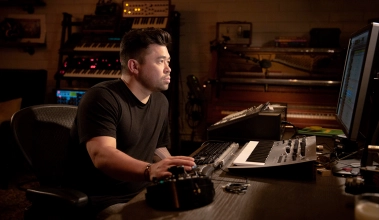
Malay - Zayn - It's You
Join producer Malay at Larrabee Studios to explore the production of ‘It’s You’ by Zayn! In this three-part series, the renowned musician and producer introduces himself with an overview of his professional background and a walkthrough of his current studio setup. He recounts the unusual journey of recording the song’s vocals and his collaboration with the artist, songwriter, and mixer. He then dives into the multi-track session to reveal some of his favorite production tips, recording strategies, drum programming techniques, signal chains, automation workflow, and more. He also discusses his methods of maintaining the excitement of a recording project and getting desired results from the artist.
-
From 00 min
it's a delay pedal that a lot of people use for looping.
-
From 09 min
I just love the H-Delay because I'll use the ping pong a lot
-
From 09 min
I felt the H-Delay has a natural warmth to it that just sounds kind of nice.
-
From 09 min
So I add that in there, and then I'm using another Waves plug-in,
-
From 11 min
I just have it set to sine wave.
-
From 16 min
it's a delay pedal that a lot of people use for looping and things like that,
-
From 36 min
Got a delay going.
-
From 38 min
This is another delay.
-
From 41 min
Same with the delay.
-
From 41 min
Delay-wise, I think I mentioned earlier that I love using the H-Delay.
-
From 41 min
Manny's plug-in is really cool for delay.
-
From 41 min
directly, just to have the other reverbs and delays still going,
-
From 45 min
maybe some delay throws or vocal rides just to make sure
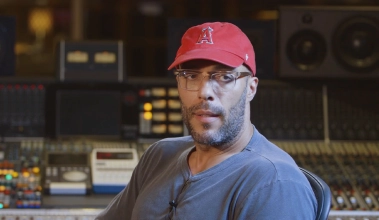
Jaycen Joshua - Rosalía - Yo x Ti, Tu x Mi
We are thrilled to present our second video series with chart-topping mix engineer Jaycen Joshua! This instalment focuses on another hit by the Spanish artist Rosalía – 'Yo x Ti, Tu x Mi' featuring Ozuna. Jaycen recounts the way in which he mixed the official release in hybrid fashion using a SSL 9080 XL K-Series console, then reveals how he crafted a sonically competitive remix entirely 'in the box'. He goes into great detail on his Pro Tools template and innovative processing techniques on a variety of source material – lead vocal, ad-libs, steel drums, 808, kick, snare, percussion, and more. Noting the style of producer 'El Guincho', Joshua demonstrates how the record can be enhanced for the pop market whilst retaining its cultural aesthetic. Aside from sharing his clever mix methods, Jaycen elaborates on a number of crucial subjects including apparent loudness, preamp choices, monitoring, taste vs. technique, and a lot more!
-
From 01 min
It's almost like a slap delay that gives you a sense of
-
From 12 min
It's a verb going into a delay, going into another verb with a slight low
-
From 13 min
We got the H-Delay.
-
From 14 min
to CrystalClear. It's the H-Delay.
-
From 14 min
It gives me a pre delay.
-
From 14 min
And if you saw the pre delay on this, and the pre delay on this to the EchoBoy,
-
From 14 min
But once again, it's the H-Delay to a nice low mid SpringReverb to another H-Delay
-
From 14 min
that's giving me 16th note delay.
-
From 15 min
It's almost like a slap delay that gives you a sense of
-
From 54 min
This doesn't let anything go. This is a fantastic tool by Waves.
-
From 56 min
So basically on this specific one by Waves, I'm emulating the Dr. Dre preset
-
From 1h22
With pre-delay you can make so many things.
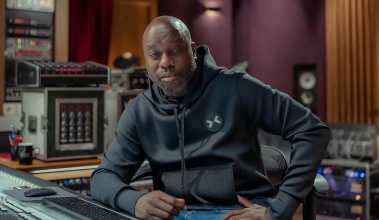
Leslie Brathwaite - Jack Harlow feat. Drake - Churchill Downs
Hosted at Rue Boyer studios in Paris, this instalment features Leslie Brathwaite deconstructing his mix of ‘Churchill Downs’ by Jack Harlow featuring Drake. The Grammy Award-winning engineer walks you through the multi-track session, revealing the signal chains he received then explaining how and why he made subtle changes. While this alone is very insightful, the series contains an exciting twist unlike any previously released – Leslie challenges himself to remix the entire project using only Pro Tools stock plug-ins! Like multiple series rolled into one, this documents two different mixes of the same record back-to-back. Upon comparing his original mix to the new one, you may be as surprised at the result as he was. The experience highlights a sacred audio engineering proverb — “It’s not about the gear; it’s about the ear!”
-
From 09 min
These are just with the H delay.
-
From 09 min
They put some subtle delays on here.
-
From 19 min
all the way down to the half-note delay,
-
From 19 min
these are delays set up in different increments.
-
From 19 min
And these delays are in place in case there are words
-
From 19 min
Let me just choose a couple words and throw the delays
-
From 19 min
Again, there's a million ways to put a delay on a song.
-
From 20 min
with one of these delays that are in place down here.
-
From 20 min
We pick another word we want to delay a little faster,
-
From 20 min
we'll use the faster delay.
-
From 20 min
it was like maybe just one or two words that needed to have a delay on it.
-
From 1h16
Having the UAD plug-ins and the Waves plug-ins at my disposal,
-
From 1h16
in a lot of different plug-ins, Soundtoys, Waves, whatever,
-
From 1h29
that I used the UADs and the Waves and all this other stuff,
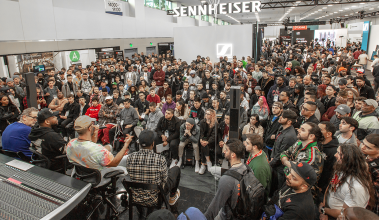
Jaycen Joshua - Namm Show #1
We're proud to present a series unlike any other to date! For the first time, we have released footage from one of our exclusive convention panels. This instalment features five renowned producers and mixers addressing questions asked by our NAMM 2020 workshop attendees! You can see the interactive experience that took place with Jaycen Joshua, Dave Pensado, Rodney Jerkins, Boi-1da, and Tuo Clark. The discussion covers a multitude of topics, ranging from mix techniques to production workflow, music publishing, finding talent, and building a strong brand. You'll get insight into how these luminary figures built their careers in the music industry, advice they would give to their younger selves, challenges they have faced, and what brought them so much success.
-
From 05 min
If the vocal is the star of the show and you put delays that step on
-
From 05 min
what he's saying, especially if the delay is hitting when his vocal's hitting,
-
From 05 min
And then the second most important thing is you'll never hear a delay
-
From 05 min
is f*ck your ping pong delay.
-
From 05 min
So they'll put just the delay on, and it'll be through the whole thing,
-
From 05 min
But with me it's like, if he says a word, here comes the delay,
-
From 06 min
put a delay to take my ear away from that.
-
From 06 min
So this delay will be different.
-
From 06 min
This one will be a delay that has a vibrato on it, you know.
-
From 15 min
I'll never forget, he worked on something, like some delay for like two hours,
-
From 21 min
- H-Delay, with a pre-delay, and I always say it in my hashtags,
-
From 22 min
But H-Delay, with a pre-delay, straight to the DVerb
-
From 22 min
with no pre-delay, church, to the next DVerb... I mean, next H-Delay at 50%
-
From 28 min
I got a call from Waves right after, saying, "Hey, can we make a plug-in
Tony Maserati - Foster The People - Pick U Up
Step into the Hollywood studio of distinguished engineer Tony Maserati, where he mixes the stem session of ‘Pick U Up’ by Foster the People! Tony voices his initial ideas upon listening to the material, then embarks on a journey of sonic enhancement, signal blending and problem solving. Using his custom template, select plug-ins and fine outboard gear, he demonstrates his approach to mixing live and sampled drums, claps, vintage synthesizers, strings, electric guitar, bass, and vocals. Witness how he overcomes issues with the source material, treats the audio, encounters phase problems, performs vocal edits, rides levels, tackles mix revisions, and attains the final result.
-
From 27 min
so I'm going to add an SSL channel, Waves SSL Channel
-
From 32 min
You can see I'm two cents down and three cents up, and with a little bit of delay,
-
From 33 min
hear the delay more than the de-tune.
-
From 39 min
But in this case I'm using an SSL, a Waves SSL compressor.
-
From 45 min
I'm going to see if this delay compensation issue is...
-
From 46 min
And if it was a delay compensation issue, it would be phasing
-
From 47 min
not when it's instantiated which means it's not a delay compensation issue
-
From 51 min
and obviously it's adding some delay as well.
-
From 56 min
And so we're missing the "h."
-
From 56 min
Take that "h" that's there and let's put it on these tracks here.
-
From 56 min
then we'll go ahead and get that "h" happening here as well.